

MEET ACE

Your next hire
wears a
green cap.

AI assistance built into your coaching workspace. Less time finding buttons. More time moving your business forward.

Explore Ace in the demo ↗
ALWAYS IN YOUR CORNERAce wearing his signature green coaching cap
“Ace, let’s get ready for next week.”

A CONVERSATION. A NEXT STEP.

What would you
hand off first?

Here’s how an everyday request becomes useful work. Examples illustrate the workflow.

✉

Keep clients coming back

“Draft a 10% off training campaign.”
EMAIL DRAFTYour next session starts here

Message → audience → timing → review

Ace helps prepare the campaign. You review the offer and delivery details.
▧

Give your site a fresh start

“Help improve my homepage.”
YOUR WEBSITEYour coaching. Your voice.

Content → proposed edits → your review

Work on your site through a conversation, then refine it in the visual editor.

↗

Know your next move

“How is my business doing?”
BUSINESS CHECK-INTurn activity into context

Bookings · clients · recent activity

Ask about available workspace information without digging through pages.

THE AI BEHIND THE ASSIST

Context.
Tools.
Your control.

01 · Understand the request

With a connected AI provider, Ace interprets everyday language in the context of your workspace.

02 · Use the right tools

Ace can read permitted business data and prepare supported actions, instead of only offering generic advice.

03 · Keep you in charge

Approval-required actions come back for review. Ace follows your account’s roles and page permissions.

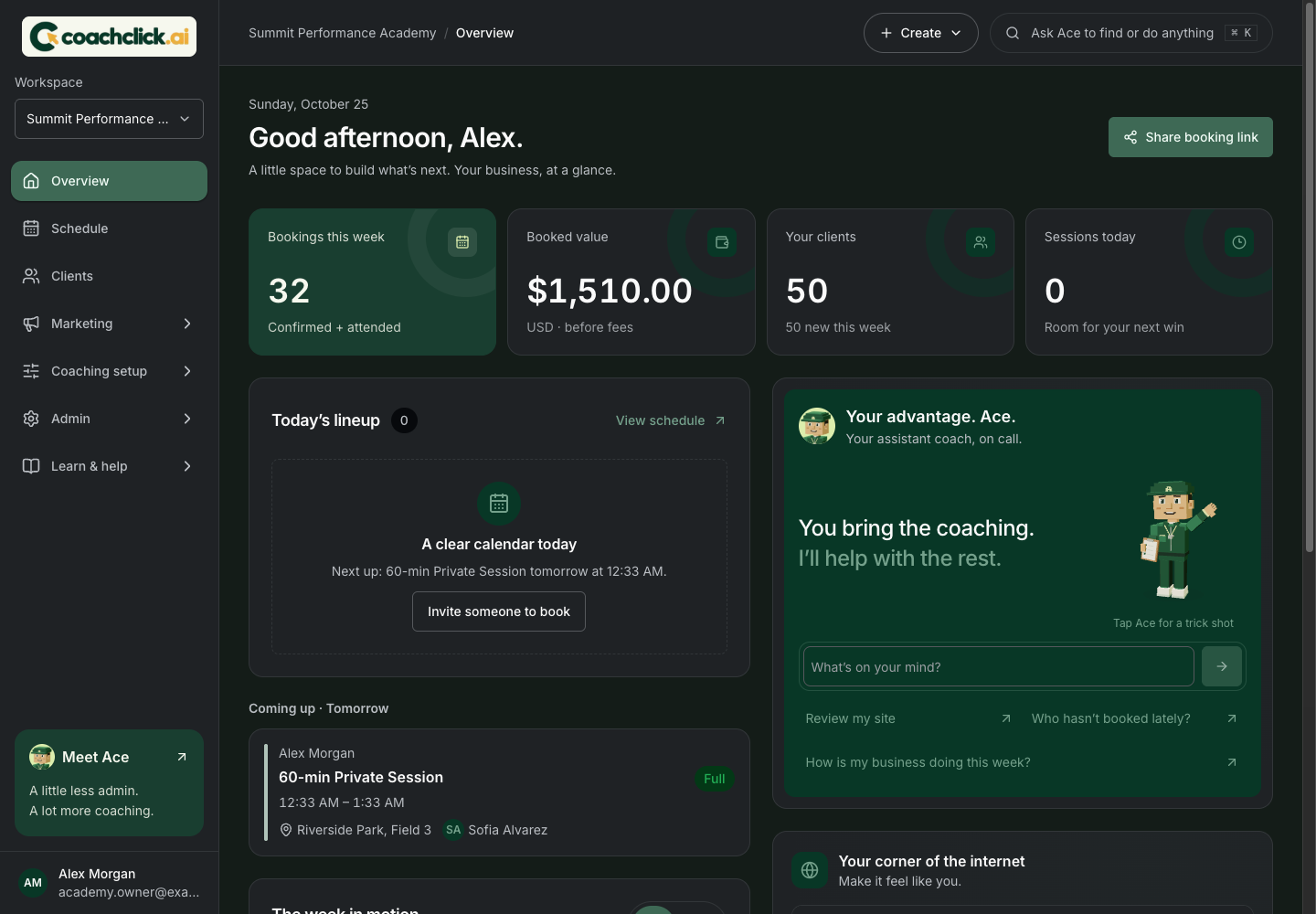
Ace’s panel within the actual CoachClick.ai overview dashboard, with sample academy data

PART OF YOUR DAILY ROUTINE

Right where
you work.

Saved chatsNew conversationsVoice dictation*Coach University

*Dictation depends on browser support and microphone permission. Connected AI and live email sending require provider configuration; demo responses and data may be simulated.

Your coaching business.
With a little backup.

Take a look inside ↗